Maps
Overview
XGoogleMaps
typescript
type Libraries = ("drawing" | "geometry" | "localContext" | "marker" | "places" | "visualization")[];

defineProps<{
  config: Record<string, unknown>;
  lat: number;
  lng: number;
  zoom: number;
  apiKey: string;
  region?: string;
  language?: string;
  version?: string;
  libraries?: Libraries;
}>()XGoogleMapsMarker
typescript
interface GoogleMapsMarker {
  [x: string]: unknown;
  title: string;
  position: Nullable<google.maps.LatLng>;
  marker?: google.maps.Marker;
  config?: Record<string, unknown>;
}

defineProps<{
  map: google.maps.Map;
  marker: GoogleMapsMarker;
  draggable?: boolean;
}>()XGoogleMapsMarkers
typescript
interface GoogleMapsMarker {
  id: string | number;
  title: string;
  name?: string;
  label?: string;
  phone?: string;
  area_code?: number;
  position: Nullable<google.maps.LatLng>;
  marker?: google.maps.Marker;
  config?: Record<string, unknown>;
}

defineProps<{
  map: google.maps.Map;
  markers: GoogleMapsMarker[];
}>()General Types
typescript
type MapCenter = {
  lat: number;
  lng: number;
};

type MapConfigStyleStyler = {
  visibility: string;
};

type MapConfigStyle = {
  featureType: string;
  stylers: MapConfigStyleStyler[];
};

type MapConfig = {
  clickableIcons: boolean;
  streetViewControl: boolean;
  panControlOptions: boolean;
  mapTypeControl: boolean;
  styles: MapConfigStyle[];
};

type Map = {
  config: MapConfig;
  center: MapCenter;
  zoom: number;
};Usage
Install the @types/google.maps package for better typing.
bash
yarn add @types/google.mapsThen you are ready to use inside your Vue components.
vue
<template>
  <x-google-maps
    :config="getMapConfig"
    :lat="lat"
    :lng="lng"
    :zoom="zoom"
    :api-key="yourApiKey"
  >
    <template #default="{ map }">
      <x-google-maps-marker
        :map="map"
        :marker="marker"
      >
        <template #default>
          <strong>{{ marker.title }}</strong>
        </template>
      </x-google-maps-marker>
      <x-google-maps-markers
        :markers="markers"
        :map="map"
      >
        <template #default="{ marker: markerSlot }">
          <div>
            Another information

            {{ markerSlot }}
          </div>
        </template>
      </x-google-maps-markers>
    </template>
  </x-google-maps>
</template>

<script setup lang="ts">
import {
  GoogleMapsMarker,
  XGoogleMaps,
  XGoogleMapsMarker,
  XGoogleMapsMarkers
} from "portabilis-ui";
import { computed, ref } from "vue";

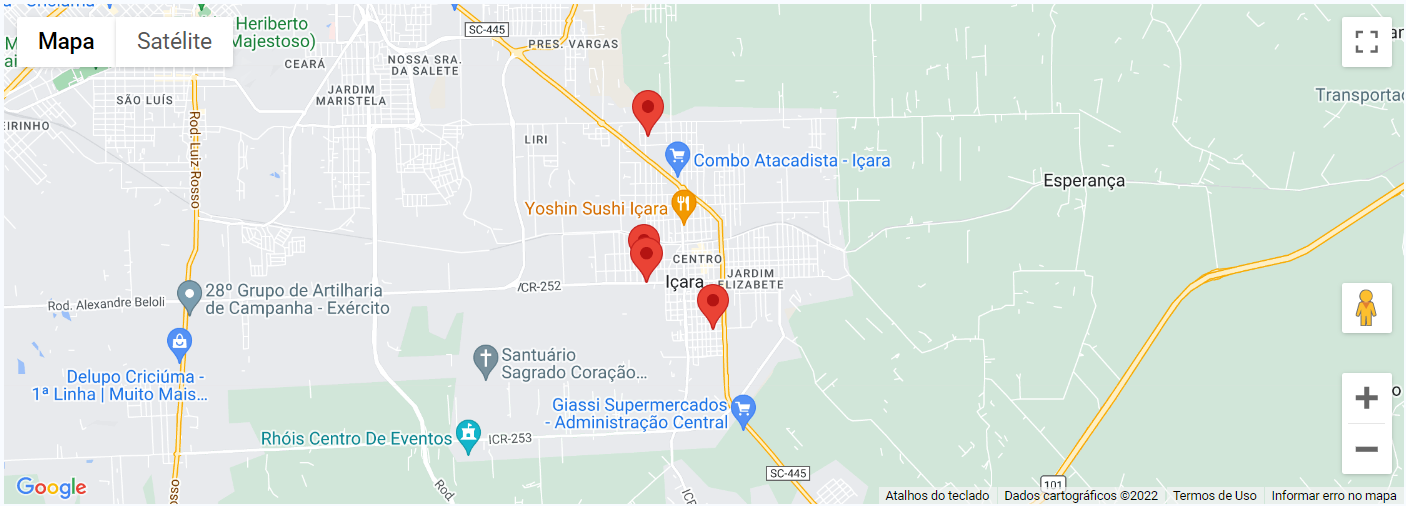
const marker = ref<GoogleMapsMarker>({
  id: '1',
  title: 'Some Title Marker',
  position: new google.maps.LatLng(-28.715219, -49.307249)
});

const markers = ref<GoogleMapsMarker[]>([
  {
    id: '2',
    title: 'Some Random Title Marker 2',
    position: new google.maps.LatLng(-28.716818, -49.307015)
  },
  {
    id: '3',
    title: 'Some Random Title Marker 3',
    position: new google.maps.LatLng(-28.722462, -49.297953)
  },
  {
    id: '4',
    title: 'Some Random Title Marker 4',
    position: new google.maps.LatLng(-28.699126, -49.306885)
  },
])

const getMapConfig = ref({
  zoom: 8,
  center: {
    lat: -28.713305,
    lng: -49.299131
  },
  config: {
    clickableIcons: true,
    streetViewControl: true,
    panControlOptions: true,
    mapTypeControl: true,
    styles: []
  },
});

const lat = computed(() => getMapConfig.value.center.lat);
const lng = computed(() => getMapConfig.value.center.lng);
const zoom = computed(() => getMapConfig.value.zoom);

const yourApiKey = computed(() => import.meta.env.VITE_GOOGLE_MAPS_API_KEY);
</script>Result